
Unofficial remake

Version 1.0.0

Download the game

Unofficial fan-game remake, free of charge. One small file per platform: unpack it and play. Everything the game needs is inside the program. And for reading on the sofa: the manual.

Windows

Unofficial fan-game remake · free
Version
1.0.0
Size
2.0 MB download, 5.4 MB unpacked
Date
2026-10-21
Needs
Windows 10 or 11, 64-bit

How to start: Unzip, run dizzy.exe. SmartScreen may warn about an unsigned program: More info → Run anyway (step by step).

Download FantasticDizzy-windows-x64.zip
SHA-2565396de79a4ac103799e1afd68de63f7c86bfe478f77c41f154da910da2bac336
macOS

Unofficial fan-game remake · free
Version
1.0.0
Size
5.3 MB download, 13.0 MB unpacked
Date
2026-10-21
Needs
macOS 11 or later, Intel or Apple silicon

How to start: Unzip and open Fantastic Dizzy. The app is not notarised, so the first time macOS blocks it: System Settings → Privacy & Security → Open Anyway (step by step).

Download FantasticDizzy-macos.zip
SHA-25617b24f0bb6263e6840362b06215ca50503cefdbf65b85febeab153c982641787

Linux

Unofficial fan-game remake · free
Version
1.0.0
Size
2.1 MB download, 5.8 MB unpacked
Date
2026-10-21
Needs
x86-64, a desktop with X11 or Wayland

How to start: Extract, run dizzy. If it won't start, see below.

Download FantasticDizzy-linux-x64.tar.gz
SHA-25682c64841174d15b22bd44f2c99c616562b0941b1be4c2c60f8684009c25de559

The manual

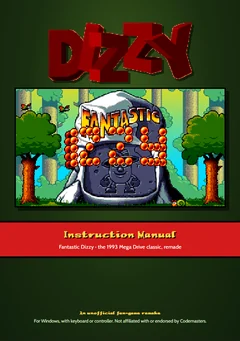
The manual's cover: the DIZZY logo over the title screen.

Instruction manual

PDF · free

The game's manual, remade in colour from the Mega Drive booklet: the story, the controls, the screen, how to play and the Yolkfolk, with the remake's own pages added: the menus, saving, settings, cheats and teleport. No spoilers.

Pages
16, A5
Size
1.5 MB
Print
A5, or two to a sheet of A4

System requirements

The first start

The game starts fullscreen; F11 or Alt+Enter switches to a window. On the language menu, Up and Down pick a language and Return starts. Then: how to play.

The programs aren't signed with a paid certificate, so your system is wary of them the first time: here's what to do.

If your system won't open the game

This is a free fan-game remake, so it isn't signed with a paid developer certificate. Your system will warn you about it the first time you open it. That's expected: you only need to allow it once, and after that it opens normally. If you got the file from somewhere other than this page, check its SHA-256 (in its row above) before allowing it.

Windows: "Windows protected your PC"

  1. Unzip the download first (right-click the zip → Extract All...), then open dizzy.exe from the folder.
  2. If a blue Windows protected your PC window appears, click More info, then Run anyway.
  3. If Run anyway isn't there, or the game is blocked straight away: right-click the zip → Properties, tick Unblock at the bottom, click OK, and extract it again.
  4. If your antivirus holds the file back, restore it from its quarantine and allow it there.

macOS: "Apple could not verify..."

  1. Unzip the download and move Fantastic Dizzy to your Applications folder (or anywhere you like).
  2. Open it. macOS says it can't verify that the app is free of malware: click Done (not Move to Trash).
  3. Open System Settings → Privacy & Security and scroll down to Security. Next to "Fantastic Dizzy" was blocked, click Open Anyway, then enter your password and click Open Anyway once more.

Linux: nothing happens

  1. Extract the archive with tar -xzf FantasticDizzy-linux-x64.tar.gz (some file managers drop the permission that lets a program run).
  2. If dizzy still won't start, make it executable: chmod +x dizzy, or tick Allow executing file as program in its Properties.
  3. Run ./dizzy from a terminal in that folder: if something is missing, it says what.